博二下-移动硬盘如何购买选取
…
…
【金山文档 | WPS云文档】 Satellite_wind_fusion_TC_WW3模拟技术报告.docx
https://www.kdocs.cn/l/cfb14VuLkuxQ
- 下载了1985-2020的全球ERA5风速数据, 两个移动硬盘+电脑固态硬盘的存储有些不够了,
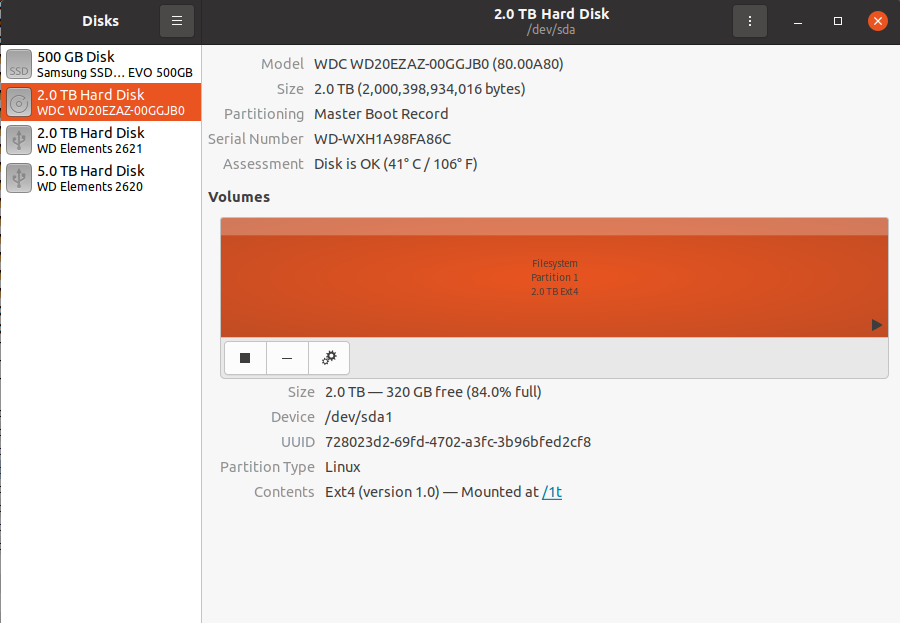

- 购买新的硬盘的需求,
…
…
闲鱼上的硬盘为什么这么便宜,可以买吗?
…
…
https://www.yoojia.com/article/9172052825349813833.html
- 综上所述,那些价格远低于市场价的所谓全新硬盘,必然是经过了一些处理的。不过,这并不意味着这些“翻新盘”就不能使用。我近几年购买过多块硬盘,其中有一块是在京东自营购买的正品盘,但前段时间检查时却出现了告警。因此,硬盘的质量并非完全取决于其是否经过翻新,而是存在一定的随机性。
- 最近,市场上出现了大量高容量的企业级矿盘,这些硬盘已经使用了几千小时,但价格却直接打了五折左右。对于我们这些普通用户来说,购买这些硬盘来使用其实是非常划算的。
- 最后,我要说的是,对于那些来路不明的硬盘,如果你想买,就不要怕;如果你怕,那就别买。在购买时,我们需要保持警惕,但也要有一定的勇气和判断力。
…
…
- 都三年了哈哈。各位还能遇到这种问题吗。我的经验是买硬盘还是尽量买3.5英寸的
 CMR垂直盘,哪怕是二手的,服务器拆机几万小时的。都不打紧。说实话 二手的0通电,还贼便宜的,很可能就有猫腻呢。还不如服务器拆机盘。看了那么多老视频,也希望各位看看我的新视频,一些diy nas的玩法用法教程。
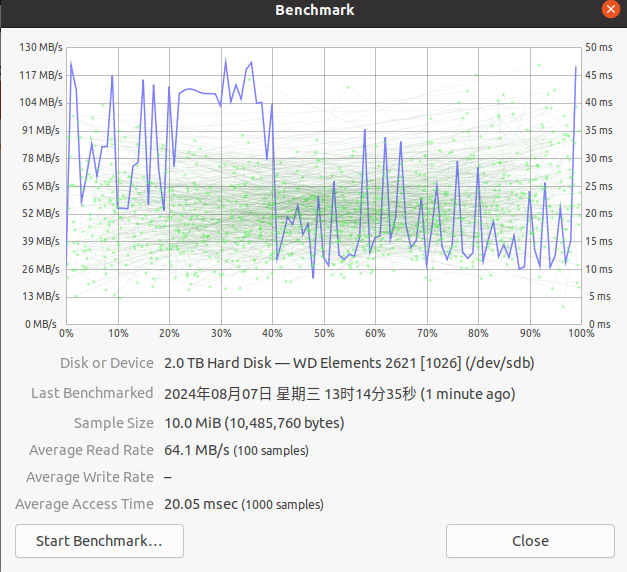
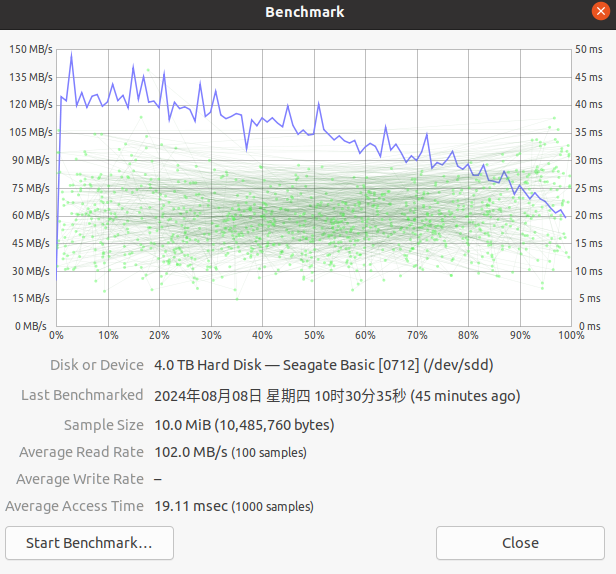
 - benchmark
- 告诉你们一个技巧,咸鱼和并夕夕上硬盘盘写着只能分区exfat格式不能格式化ntfs分区的统统都是扩容盘和坏道盘
…
…
垂直盘是什么?
…
…
硬盘盒是什么?
…
…
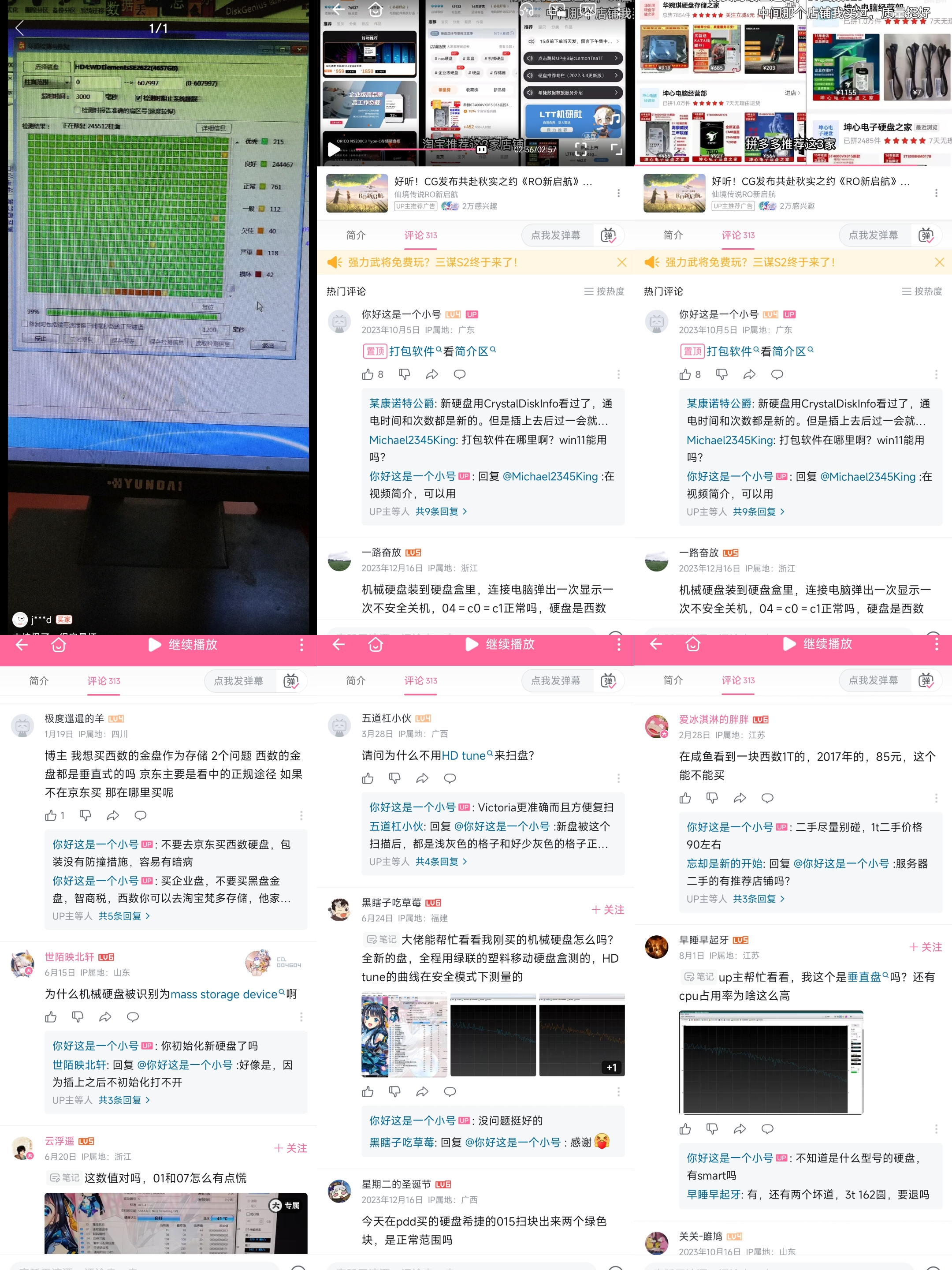
拼多多: 坤心电子硬盘之家,
…
…
百度贴吧: 硬盘吧,
…
…
https://tieba.baidu.com/f?kw=%E7%A1%AC%E7%9B%98&ie=utf-8&tab=main

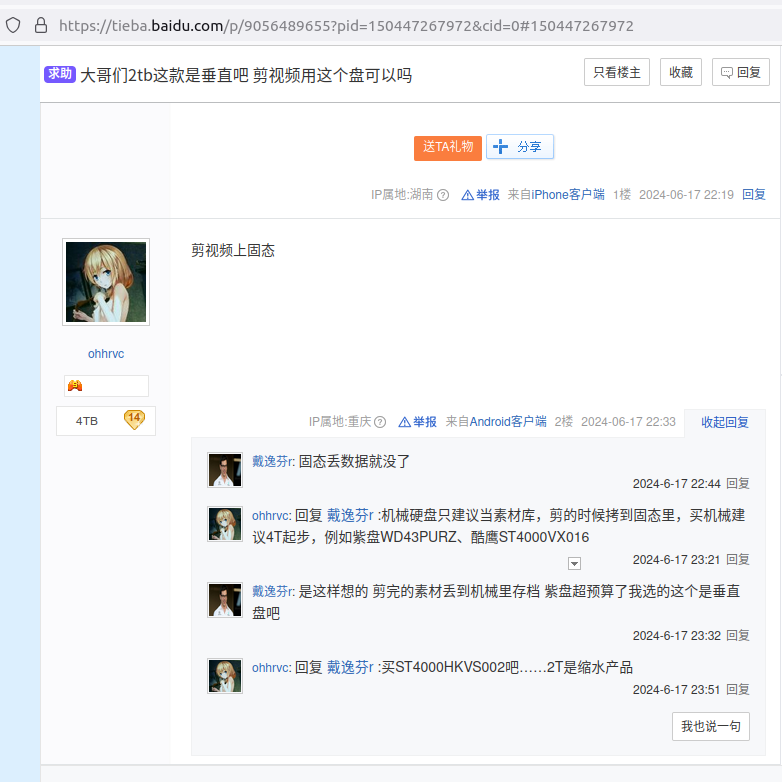
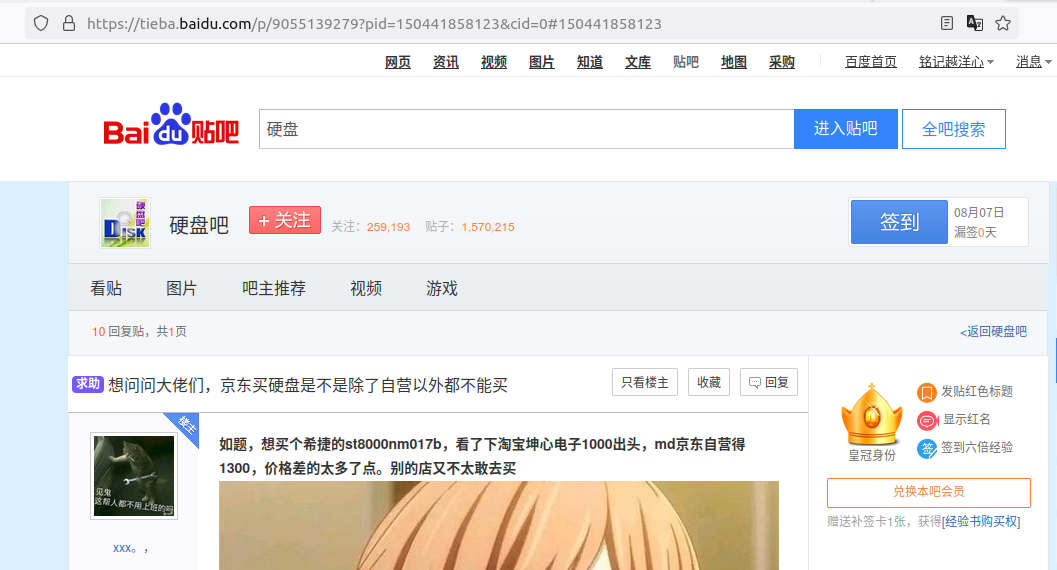
…
…
ubuntu 如何查看移动机械硬盘的优良程度
…
…
gnome disks
…
…
…
…
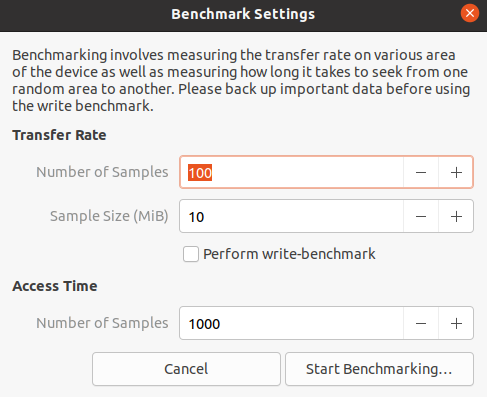
WD Elements 2621 (1026), (benchmark)
…
…
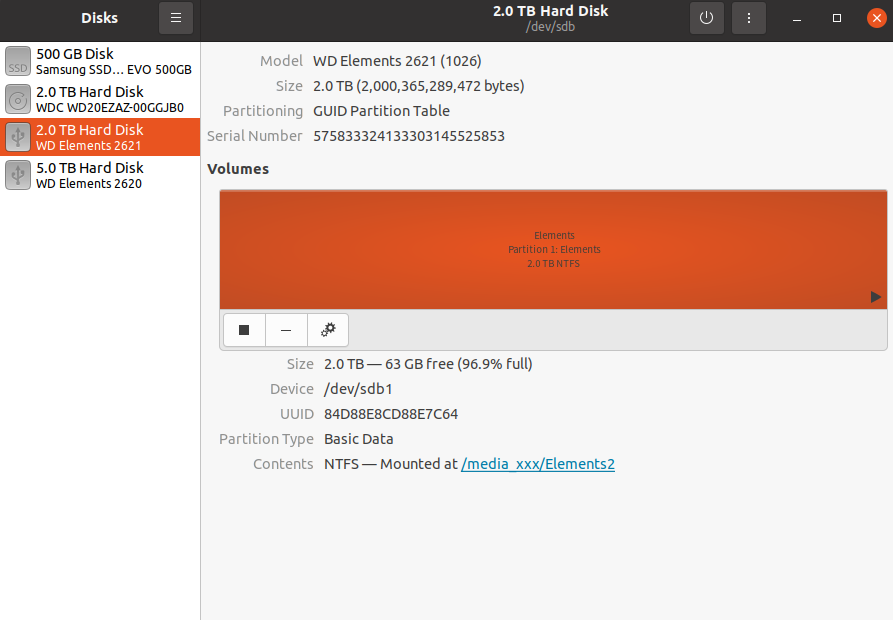
…
…
WD Elements 2620 (1020)
…
…
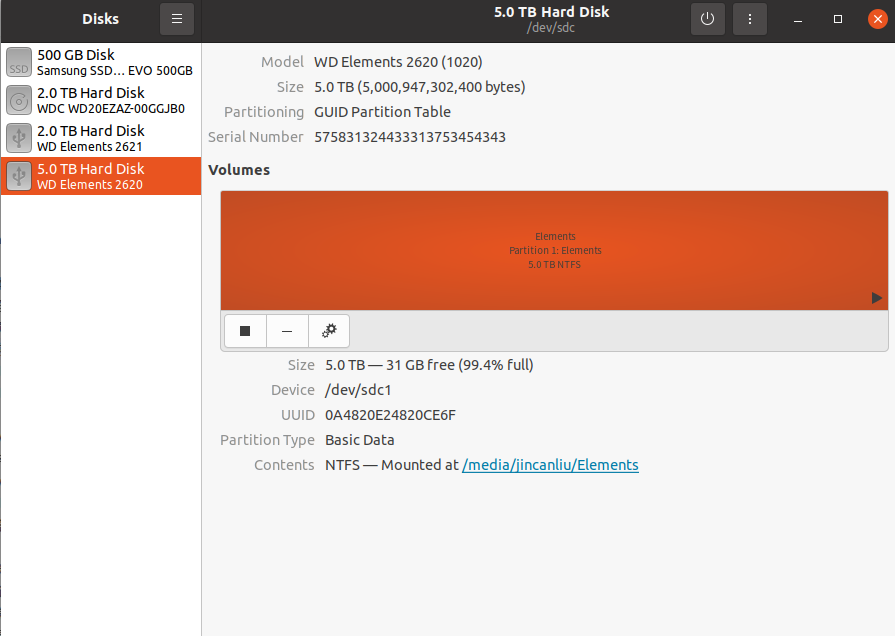
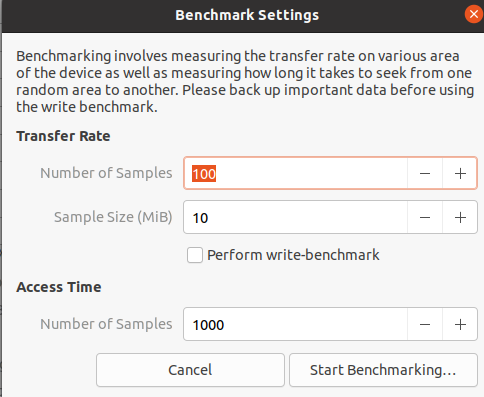
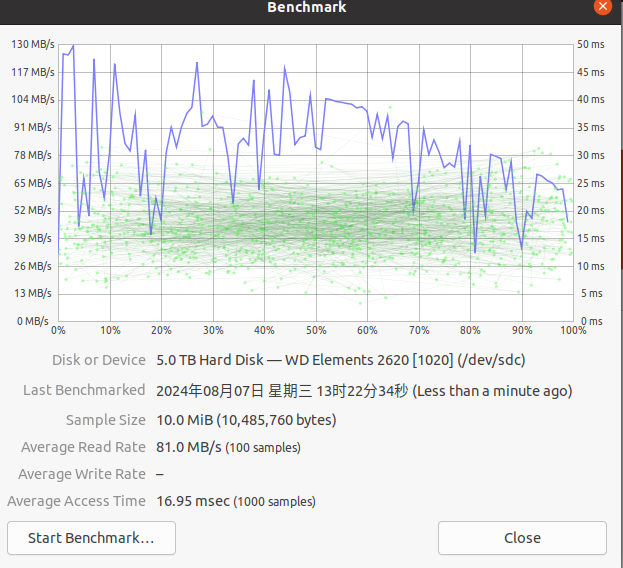
…
…
badblocks, (在 Linux 上使用坏块工具检查坏道)(系统不要将数据写入坏道的扇区中),
…
…
参考, 在 Linux 上使用坏块工具检查坏道, https://linux.cn/article-7961-1.html
sudo fdisk -l
sudo badblocks -v /dev/sdb > /tmp/badsectors.txt
上面的命令中,badblocks 扫描设备 /dev/sdb(记得指定你的实际设备),-v 选项让它显示操作的详情。另外,这里使用了输出重定向将操作结果重定向到了文件 badsectors.txt。
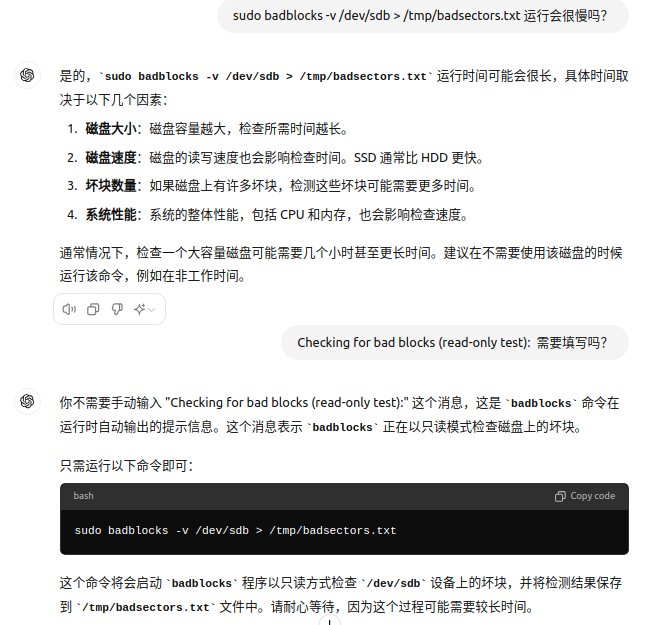
…
…
参考, 在 Linux 上使用坏块工具检查坏道, https://linux.cn/article-7961-1.html
如果你在你的磁盘上发现任何坏道,卸载磁盘并像下面这样让系统不要将数据写入坏道的扇区中。
你需要执行 e2fsck(针对 ext2/ext3/ext4 文件系统)或 fsck 命令,命令中还需要用到 badsectors.txt 文件和设备文件。
-l 选项告诉命令将在指定的文件 badsectors.txt 中列出的扇区号码加入坏块列表。
------------ 针对 for ext2/ext3/ext4 文件系统 ------------
$ sudo e2fsck -l badsectors.txt /dev/sda10
或
------------ 针对其它文件系统 ------------
$ sudo fsck -l badsectors.txt /dev/sda10
…
…
smartctl
…
…
参考, 在 Linux 上使用坏块工具检查坏道, https://linux.cn/article-7961-1.html
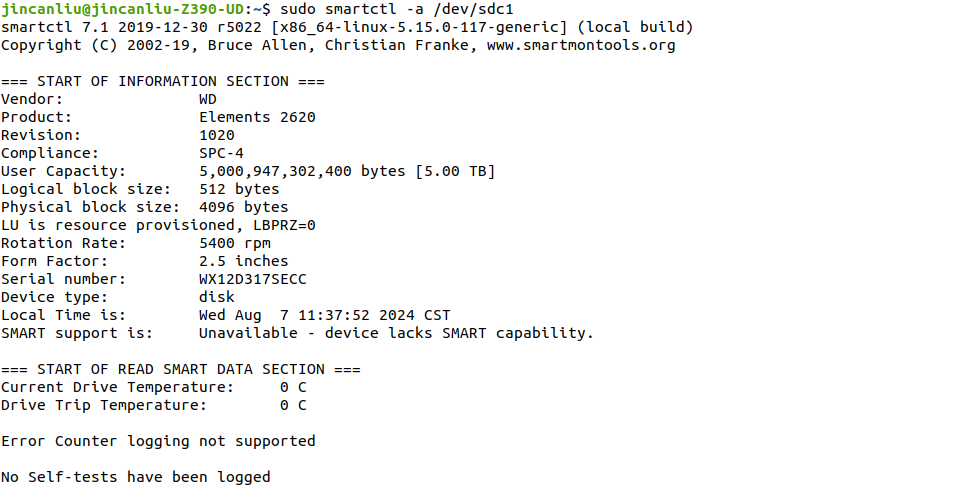
…
…
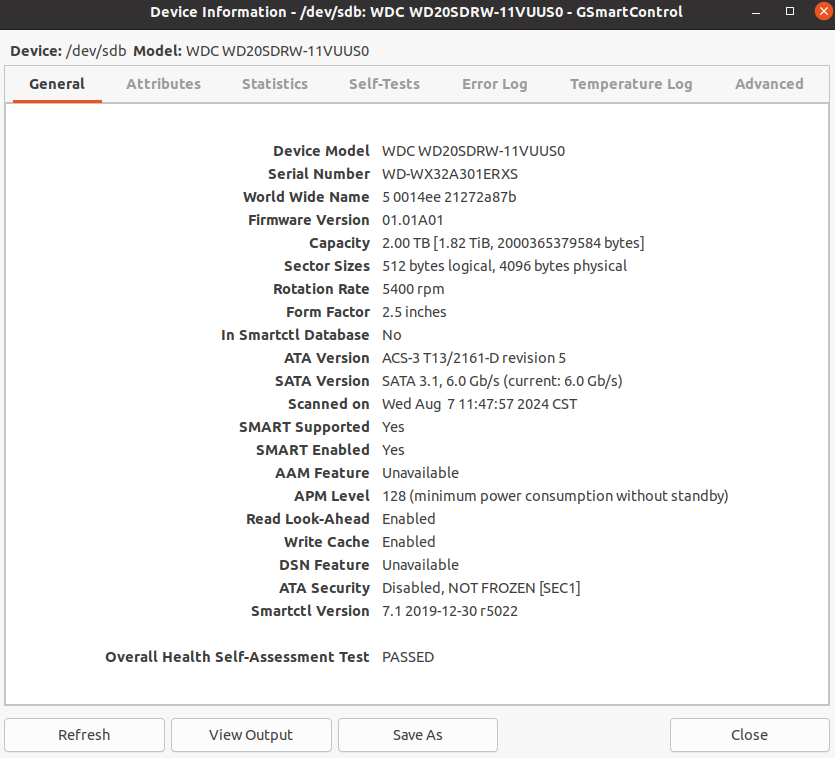
gsmartcontrol
…
…
…
…
WDC WD20SDRW-11VUUS0
…
…
…
…
smartctl 7.1 2019-12-30 r5022 [x86_64-linux-5.15.0-117-generic] (local build)
Copyright (C) 2002-19, Bruce Allen, Christian Franke, www.smartmontools.org

=== START OF INFORMATION SECTION ===
Device Model:     WDC WD20SDRW-11VUUS0
Serial Number:    WD-WX32A301ERXS
LU WWN Device Id: 5 0014ee 21272a87b
Firmware Version: 01.01A01
User Capacity:    2,000,365,379,584 bytes [2.00 TB]
Sector Sizes:     512 bytes logical, 4096 bytes physical
Rotation Rate:    5400 rpm
Form Factor:      2.5 inches
Device is:        Not in smartctl database [for details use: -P showall]
ATA Version is:   ACS-3 T13/2161-D revision 5
SATA Version is:  SATA 3.1, 6.0 Gb/s (current: 6.0 Gb/s)
Local Time is:    Wed Aug  7 11:54:58 2024 CST
SMART support is: Available - device has SMART capability.
SMART support is: Enabled
AAM feature is:   Unavailable
APM level is:     128 (minimum power consumption without standby)
Rd look-ahead is: Enabled
Write cache is:   Enabled
DSN feature is:   Unavailable
ATA Security is:  Disabled, NOT FROZEN [SEC1]

=== START OF READ SMART DATA SECTION ===
SMART overall-health self-assessment test result: PASSED

General SMART Values:
Offline data collection status:  (0x00)	Offline data collection activity
					was never started.
					Auto Offline Data Collection: Disabled.
Self-test execution status:      (   0)	The previous self-test routine completed
					without error or no self-test has ever
					been run.
Total time to complete Offline
data collection: 		(21120) seconds.
Offline data collection
capabilities: 			 (0x51) SMART execute Offline immediate.
					No Auto Offline data collection support.
					Suspend Offline collection upon new
					command.
					No Offline surface scan supported.
					Self-test supported.
					No Conveyance Self-test supported.
					Selective Self-test supported.
SMART capabilities:            (0x0003)	Saves SMART data before entering
					power-saving mode.
					Supports SMART auto save timer.
Error logging capability:        (0x01)	Error logging supported.
					General Purpose Logging supported.
Short self-test routine
recommended polling time: 	 (   2) minutes.
Extended self-test routine
recommended polling time: 	 ( 384) minutes.
SCT capabilities: 	       (0x7035)	SCT Status supported.
					SCT Feature Control supported.
					SCT Data Table supported.

SMART Attributes Data Structure revision number: 16
Vendor Specific SMART Attributes with Thresholds:
ID# ATTRIBUTE_NAME          FLAGS    VALUE WORST THRESH FAIL RAW_VALUE
  1 Raw_Read_Error_Rate     POSR-K   200   200   051    -    0
  3 Spin_Up_Time            POS--K   196   187   021    -    3175
  4 Start_Stop_Count        -O--CK   099   099   000    -    1444
  5 Reallocated_Sector_Ct   PO--CK   200   200   140    -    0
  7 Seek_Error_Rate         -OSR-K   200   200   000    -    0
  9 Power_On_Hours          -O--CK   090   090   000    -    7399
 10 Spin_Retry_Count        -O--CK   100   100   000    -    0
 11 Calibration_Retry_Count -O--CK   100   100   000    -    0
 12 Power_Cycle_Count       -O--CK   100   100   000    -    254
192 Power-Off_Retract_Count -O--CK   200   200   000    -    51
193 Load_Cycle_Count        -O--CK   197   197   000    -    11775
194 Temperature_Celsius     -O---K   104   087   000    -    43
196 Reallocated_Event_Count -O--CK   200   200   000    -    0
197 Current_Pending_Sector  -O--CK   200   200   000    -    0
198 Offline_Uncorrectable   ----CK   100   253   000    -    0
199 UDMA_CRC_Error_Count    -O--CK   200   200   000    -    0
200 Multi_Zone_Error_Rate   ---R--   100   253   000    -    0
                            ||||||_ K auto-keep
                            |||||__ C event count
                            ||||___ R error rate
                            |||____ S speed/performance
                            ||_____ O updated online
                            |______ P prefailure warning

General Purpose Log Directory Version 1
SMART           Log Directory Version 1 [multi-sector log support]
Address    Access  R/W   Size  Description
0x00       GPL,SL  R/O      1  Log Directory
0x01           SL  R/O      1  Summary SMART error log
0x02           SL  R/O      5  Comprehensive SMART error log
0x03       GPL     R/O      6  Ext. Comprehensive SMART error log
0x06           SL  R/O      1  SMART self-test log
0x07       GPL     R/O      1  Extended self-test log
0x09           SL  R/W      1  Selective self-test log
0x10       GPL     R/O      1  NCQ Command Error log
0x11       GPL     R/O      1  SATA Phy Event Counters log
0x24       GPL     R/O    288  Current Device Internal Status Data log
0x30       GPL,SL  R/O      9  IDENTIFY DEVICE data log
0x80-0x9f  GPL,SL  R/W     16  Host vendor specific log
0xa0-0xa7  GPL,SL  VS      16  Device vendor specific log
0xa8-0xb6  GPL,SL  VS       1  Device vendor specific log
0xb7       GPL,SL  VS      76  Device vendor specific log
0xb9       GPL,SL  VS       4  Device vendor specific log
0xbd       GPL,SL  VS       1  Device vendor specific log
0xc0       GPL,SL  VS       1  Device vendor specific log
0xc1       GPL     VS      93  Device vendor specific log
0xcf       GPL     VS   65535  Device vendor specific log
0xe0       GPL,SL  R/W      1  SCT Command/Status
0xe1       GPL,SL  R/W      1  SCT Data Transfer

SMART Extended Comprehensive Error Log Version: 1 (6 sectors)
No Errors Logged

SMART Extended Self-test Log Version: 1 (1 sectors)
No self-tests have been logged.  [To run self-tests, use: smartctl -t]

SMART Selective self-test log data structure revision number 1
 SPAN  MIN_LBA  MAX_LBA  CURRENT_TEST_STATUS
    1        0        0  Not_testing
    2        0        0  Not_testing
    3        0        0  Not_testing
    4        0        0  Not_testing
    5        0        0  Not_testing
Selective self-test flags (0x0):
  After scanning selected spans, do NOT read-scan remainder of disk.
If Selective self-test is pending on power-up, resume after 0 minute delay.

SCT Status Version:                  3
SCT Version (vendor specific):       258 (0x0102)
Device State:                        Active (0)
Current Temperature:                    43 Celsius
Power Cycle Min/Max Temperature:     23/61 Celsius
Lifetime    Min/Max Temperature:      8/61 Celsius
Under/Over Temperature Limit Count:   0/1
Vendor specific:
01 00 00 00 00 00 00 00 00 00 00 00 00 00 00 00
00 00 00 00 00 00 00 00 00 00 00 00 00 00 00 00

SCT Temperature History Version:     2
Temperature Sampling Period:         1 minute
Temperature Logging Interval:        1 minute
Min/Max recommended Temperature:      0/60 Celsius
Min/Max Temperature Limit:           -41/85 Celsius
Temperature History Size (Index):    128 (54)

Index    Estimated Time   Temperature Celsius
  55    2024-08-07 09:47    38  *******************
 ...    ..( 11 skipped).    ..  *******************
  67    2024-08-07 09:59    38  *******************
  68    2024-08-07 10:00    37  ******************
  69    2024-08-07 10:01    38  *******************
  70    2024-08-07 10:02    37  ******************
 ...    ..( 33 skipped).    ..  ******************
 104    2024-08-07 10:36    37  ******************
 105    2024-08-07 10:37    38  *******************
 ...    ..( 22 skipped).    ..  *******************
   0    2024-08-07 11:00    38  *******************
   1    2024-08-07 11:01    39  ********************
 ...    ..(  3 skipped).    ..  ********************
   5    2024-08-07 11:05    39  ********************
   6    2024-08-07 11:06     ?  -
   7    2024-08-07 11:07    39  ********************
   8    2024-08-07 11:08    39  ********************
   9    2024-08-07 11:09    40  *********************
 ...    ..(  2 skipped).    ..  *********************
  12    2024-08-07 11:12    40  *********************
  13    2024-08-07 11:13    41  **********************
 ...    ..(  6 skipped).    ..  **********************
  20    2024-08-07 11:20    41  **********************
  21    2024-08-07 11:21    42  ***********************
 ...    ..( 28 skipped).    ..  ***********************
  50    2024-08-07 11:50    42  ***********************
  51    2024-08-07 11:51    43  ************************
  52    2024-08-07 11:52    43  ************************
  53    2024-08-07 11:53    42  ***********************
  54    2024-08-07 11:54    43  ************************

SCT Error Recovery Control command not supported

Device Statistics (GP/SMART Log 0x04) not supported

SATA Phy Event Counters (GP Log 0x11)
ID      Size     Value  Description
0x0001  2            0  Command failed due to ICRC error
0x0002  2            0  R_ERR response for data FIS
0x0003  2            0  R_ERR response for device-to-host data FIS
0x0004  2            0  R_ERR response for host-to-device data FIS
0x0005  2            0  R_ERR response for non-data FIS
0x0006  2            0  R_ERR response for device-to-host non-data FIS
0x0007  2            0  R_ERR response for host-to-device non-data FIS
0x0008  2            0  Device-to-host non-data FIS retries
0x0009  2          258  Transition from drive PhyRdy to drive PhyNRdy
0x000a  2          260  Device-to-host register FISes sent due to a COMRESET
0x000b  2            0  CRC errors within host-to-device FIS
0x000d  2            0  Non-CRC errors within host-to-device FIS
0x000f  2            0  R_ERR response for host-to-device data FIS, CRC
0x0012  2            0  R_ERR response for host-to-device non-data FIS, CRC
0x8000  4     16553794  Vendor specific
…
…
…
…
Victoria? (Windows上的?)
…
…
详见,
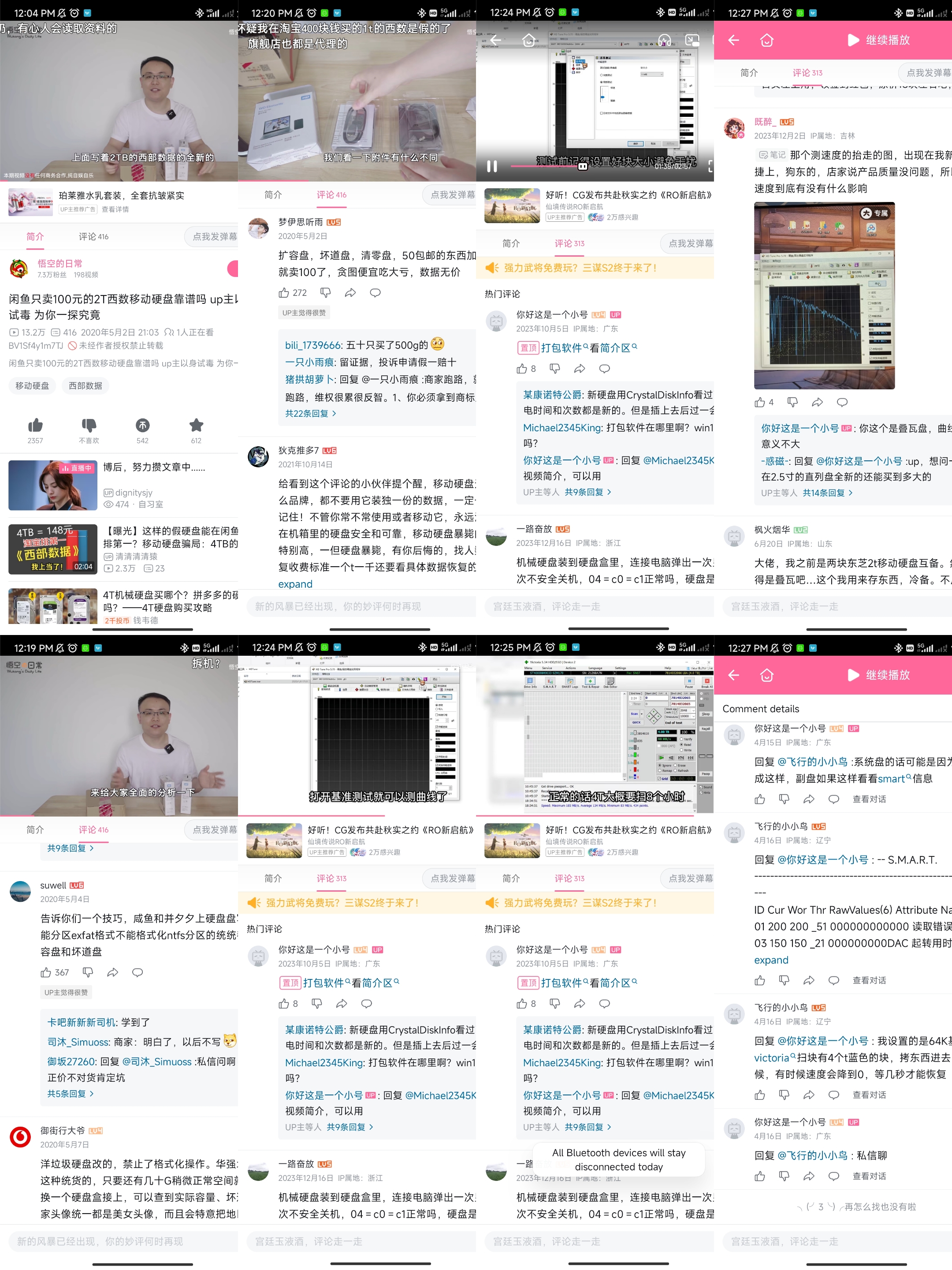
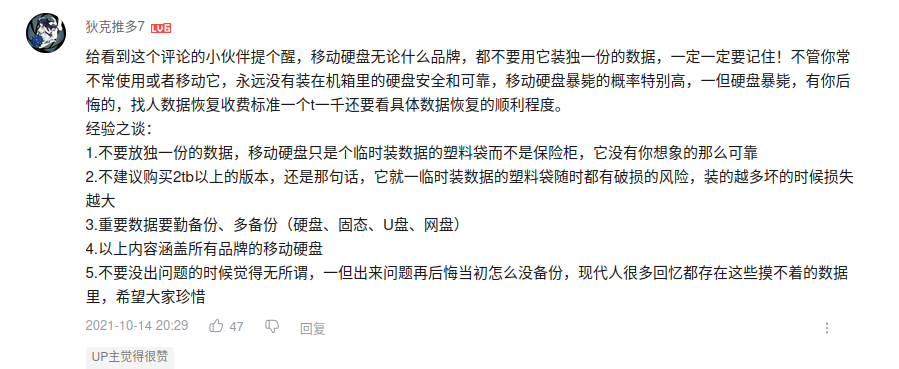
- 都三年了哈哈。各位还能遇到这种问题吗。我的经验是买硬盘还是尽量买3.5英寸的CMR垂直盘,哪怕是二手的,服务器拆机几万小时的。都不打紧。说实话 二手的0通电,还贼便宜的,很可能就有猫腻呢。还不如服务器拆机盘。看了那么多老视频,也希望各位看看我的新视频,一些diy nas的玩法用法教程。
- benchmark
- 告诉你们一个技巧,咸鱼和并夕夕上硬盘盘写着只能分区exfat格式不能格式化ntfs分区的统统都是扩容盘和坏道盘
- 拼多多: 坤心电子硬盘之家,
- …
…
…
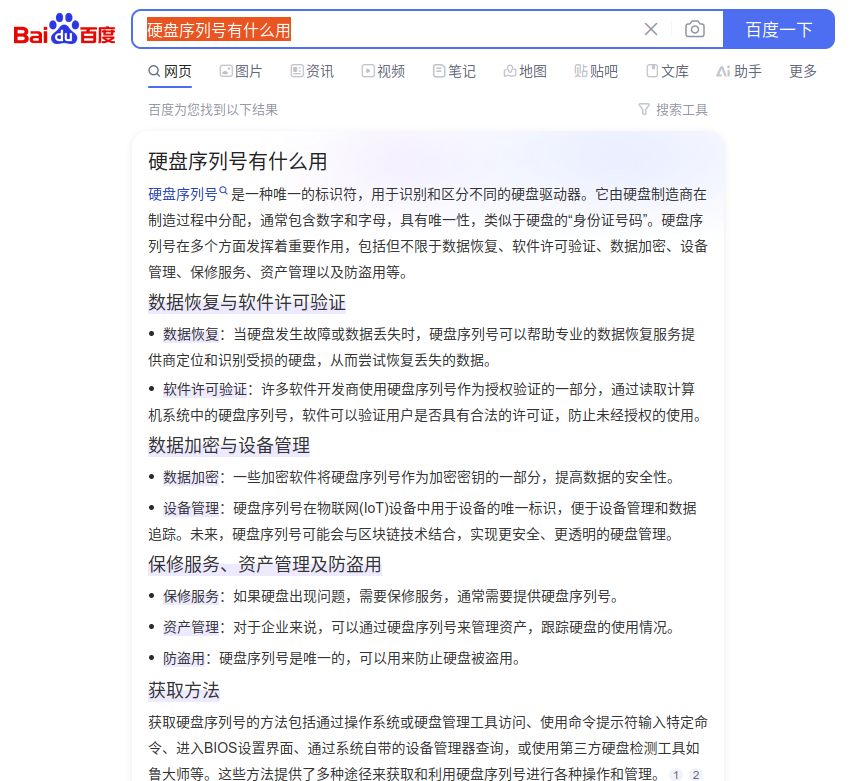
硬盘序列号有什么用
…
…
…
…
WPS 个人文件夹+文件链接目录,
…
…
2024-08-07 下午三点, 京东上已购买希捷4T的硬盘, 859元,
…
…
2024-08-08 早上, 希捷4T硬盘已到,进行初步的简单检测,录制开盒视频,
…
…
开盒视频,(手机视频文件无法直接上传到WPS或Baidu Disk,需要开会员),
…
…
…
…
开盒过程详见手机 K50 相册在 2024-08-08 这一天的视频,(手机视频文件无法直接上传到WPS或Baidu Disk,需要开会员),
…
…
开盒后剩余材料保存到495办公室的抽屉,
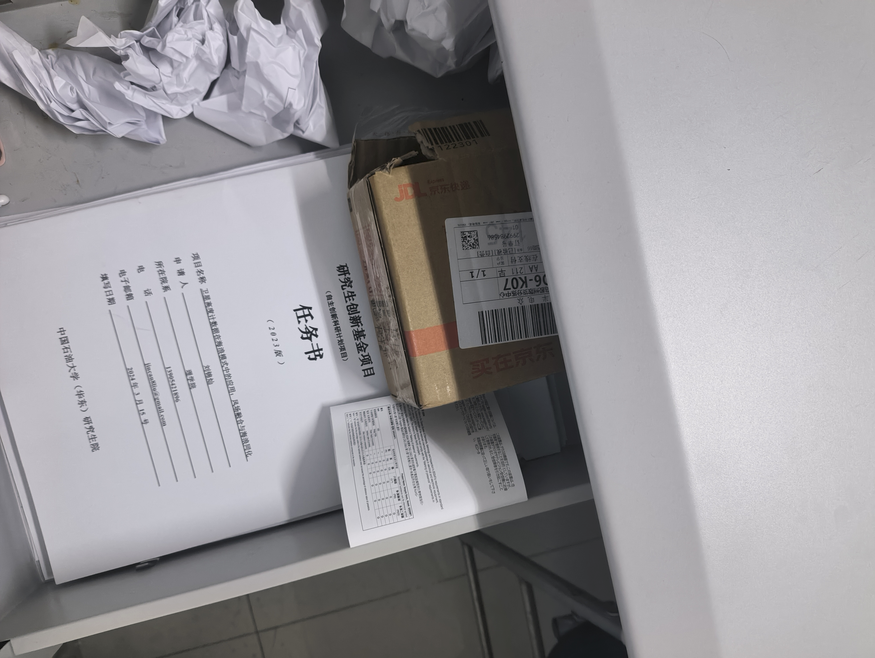
…
…
硬盘插入到文理楼495,
…
…
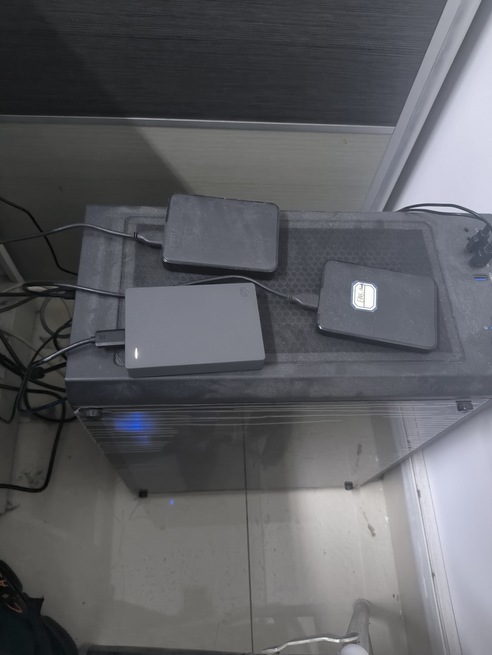
…
…
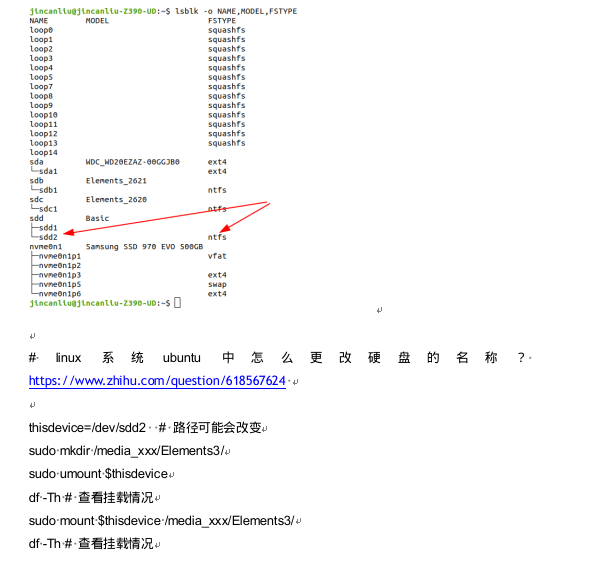
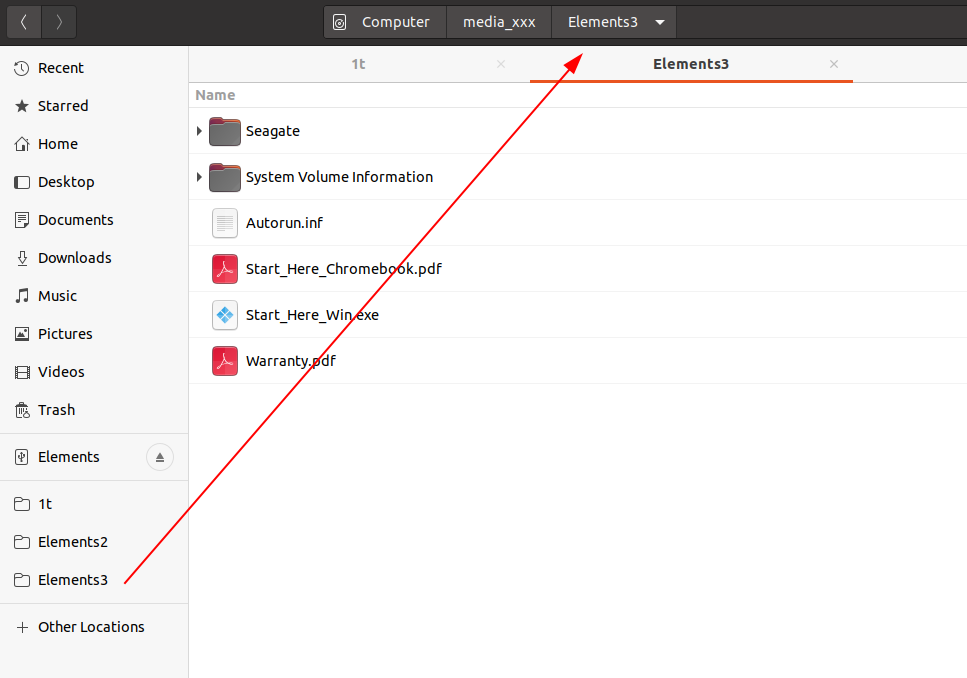
Ubuntu 硬盘检测,Elements3,
…
…
Elements3,
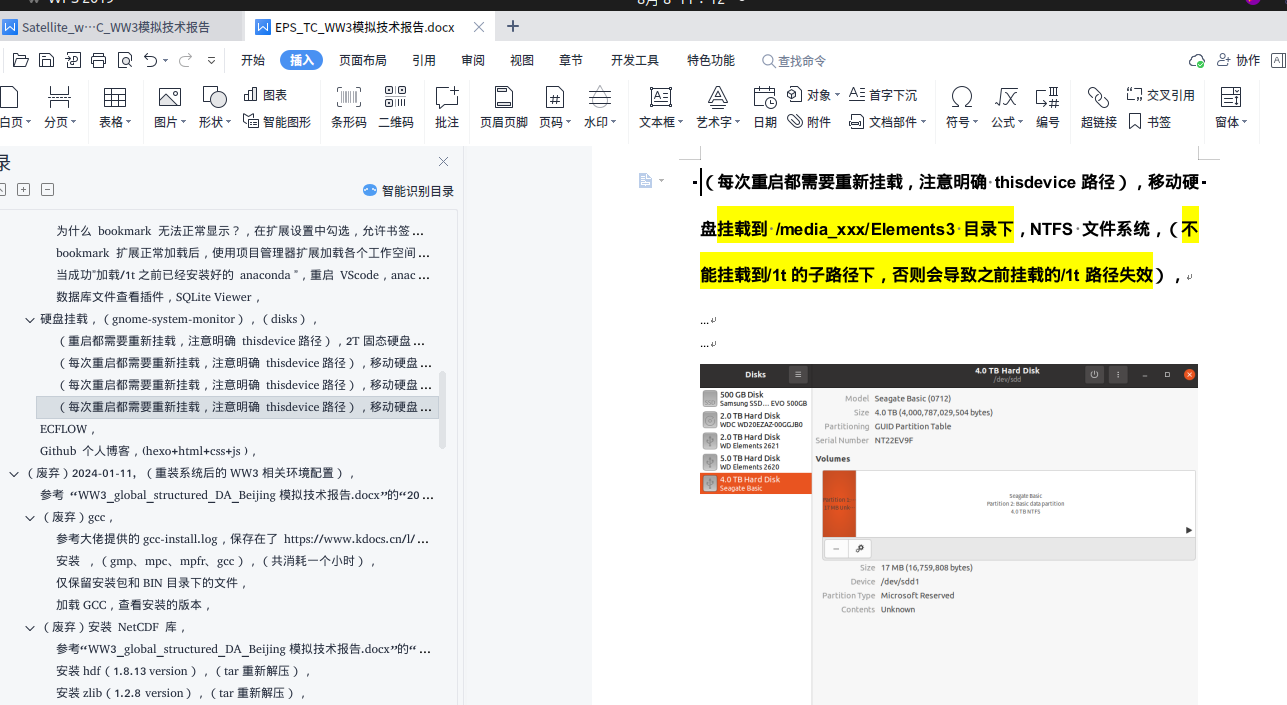
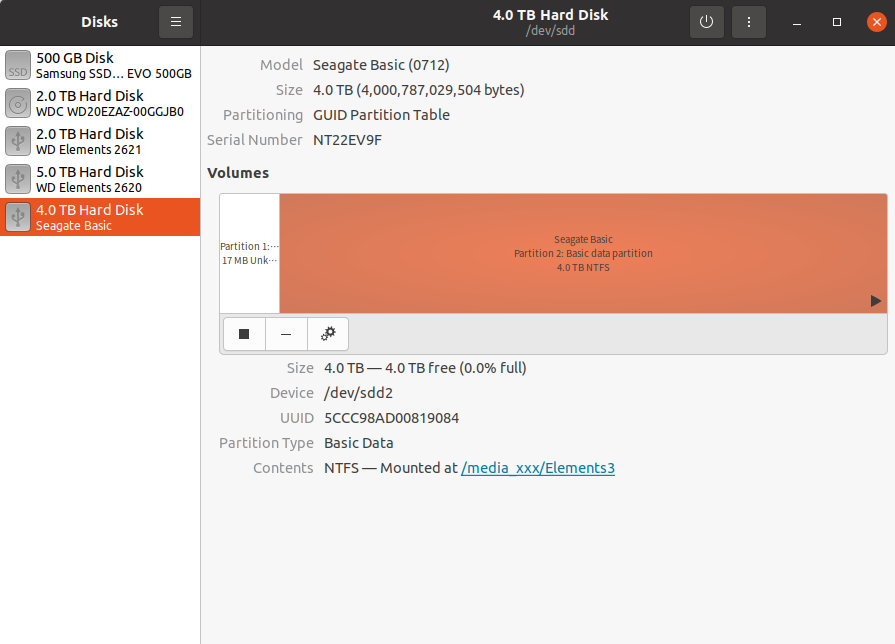
…
…
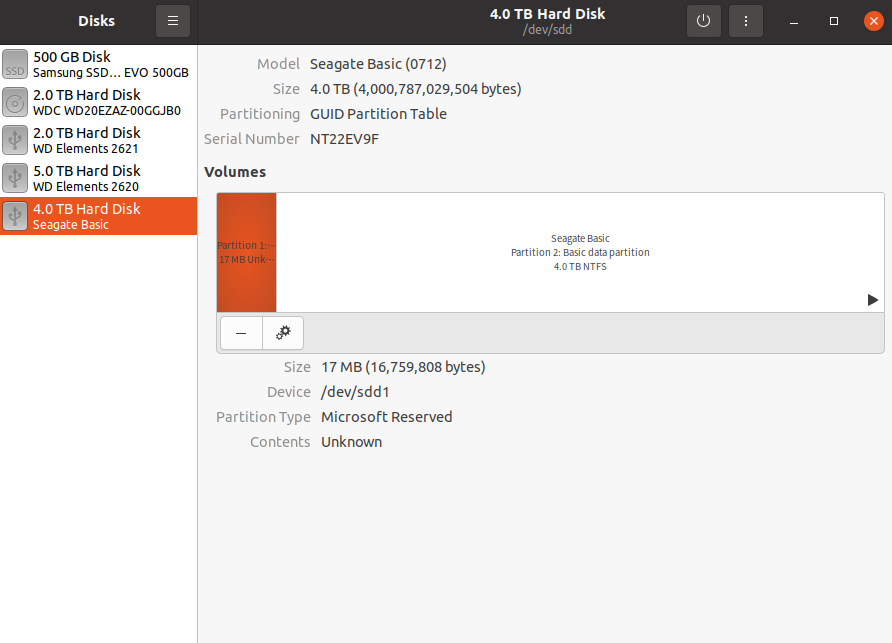
gnome disks
…
…
…
…
…
…
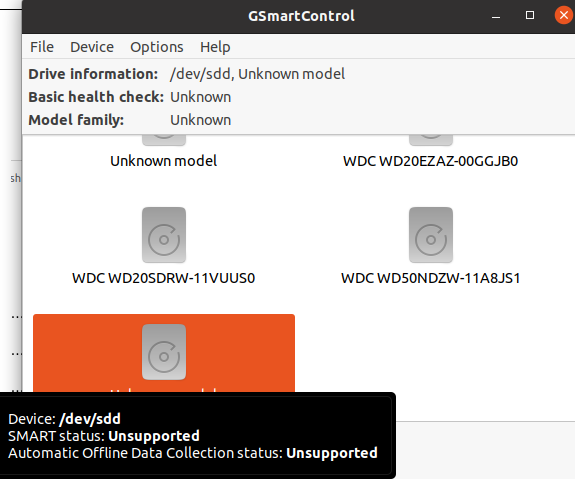
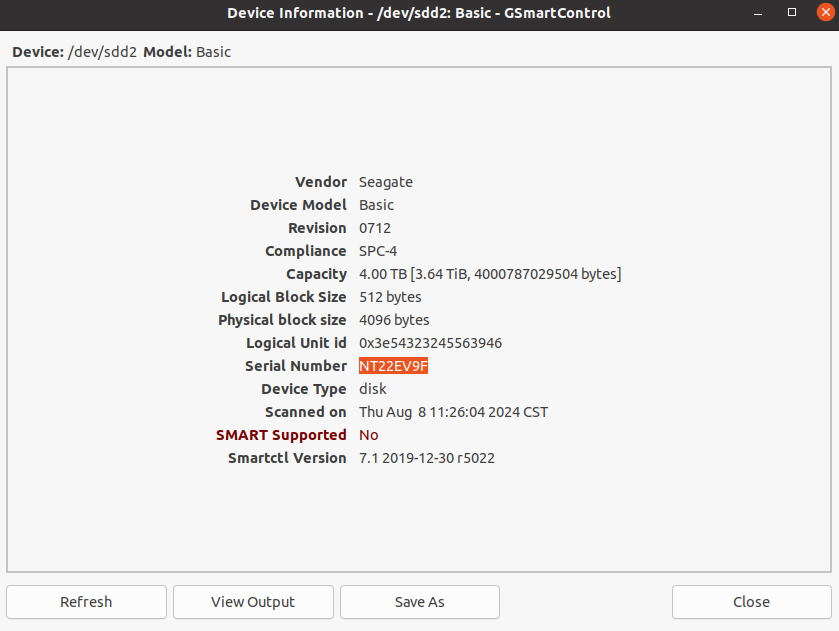
gsmartcontrol, (sdd为什么不支持查看SMART?),(sdd2为什么不支持查看SMART?),
…
…
…
…
…
…
add device
…
…
badblocks, (在 Linux 上使用坏块工具检查坏道)(系统不要将数据写入坏道的扇区中),
…
…
参考, 在 Linux 上使用坏块工具检查坏道, https://linux.cn/article-7961-1.html
sudo fdisk -l
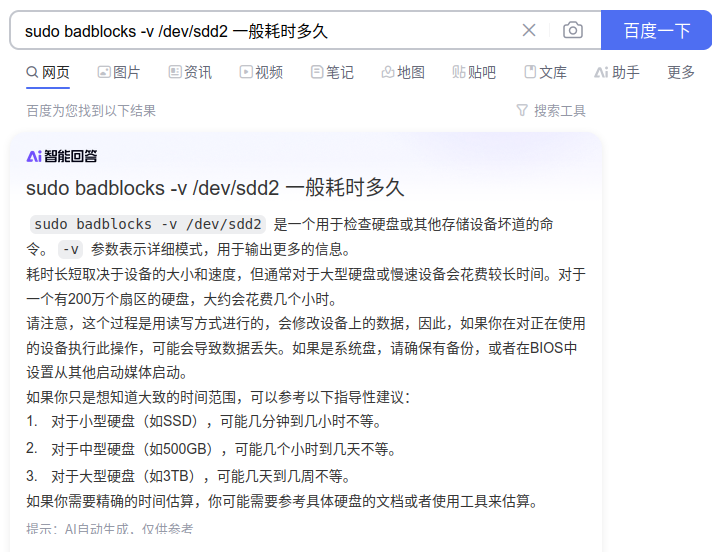
sudo badblocks -v /dev/sdd2 > /tmp/badsectors.txt
上面的命令中,badblocks 扫描设备 /dev/sdd2(记得指定你的实际设备),-v 选项让它显示操作的详情。另外,这里使用了输出重定向将操作结果重定向到了文件 badsectors.txt。
…
…
参考, 在 Linux 上使用坏块工具检查坏道, https://linux.cn/article-7961-1.html
如果你在你的磁盘上发现任何坏道,卸载磁盘并像下面这样让系统不要将数据写入坏道的扇区中。
你需要执行 e2fsck(针对 ext2/ext3/ext4 文件系统)或 fsck 命令,命令中还需要用到 badsectors.txt 文件和设备文件。
-l 选项告诉命令将在指定的文件 badsectors.txt 中列出的扇区号码加入坏块列表。
------------ 针对 for ext2/ext3/ext4 文件系统 ------------
$ sudo e2fsck -l badsectors.txt /dev/sda10
或
------------ 针对其它文件系统 ------------
$ sudo fsck -l badsectors.txt /dev/sda10
…
…
2024-08-08 中午, 先这样吧, 有问题再在京东上反映,
…
…
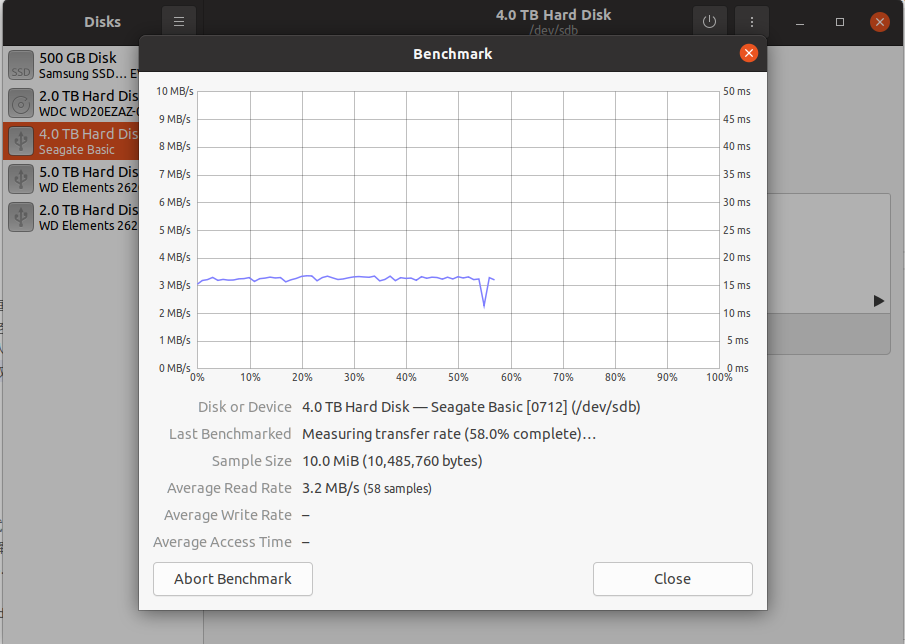
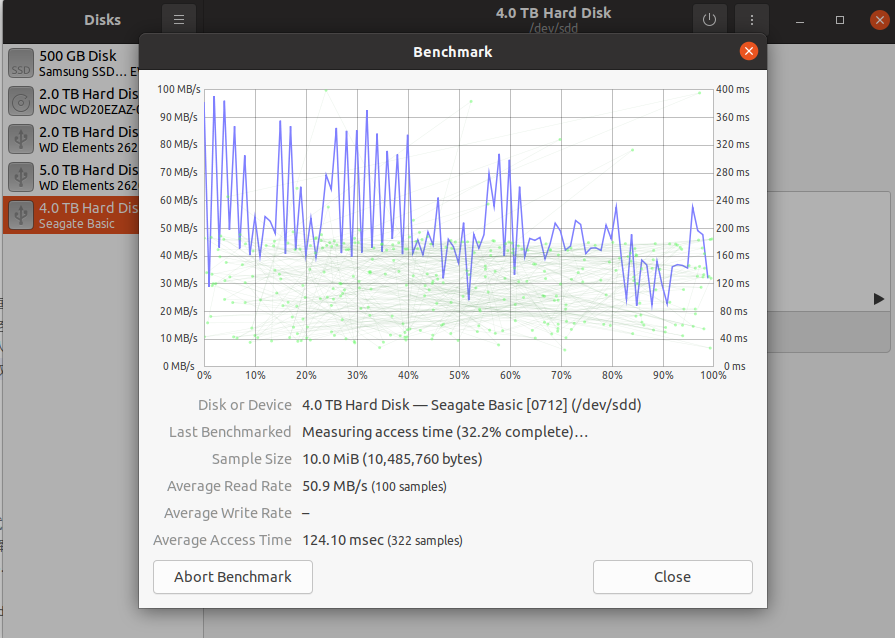
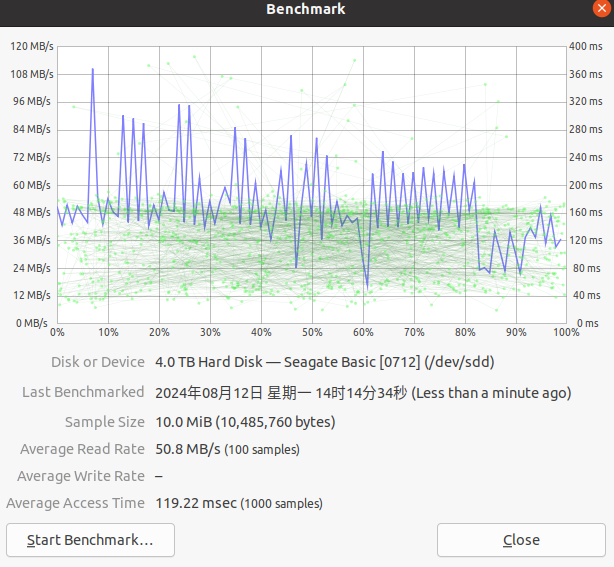
2024-08-12 下午,传输速度只有 3MB 了, 什么情况?,(由于每小时一个文件,传输速度3M/s?),
…
…
…
…
重启电脑重新测试一次,
…
…
重启重新传输 /1t/Data-Assimilation-for-Ocean-Current-Forecasts/ERA5/regtests/ERA5_Atlantic7_2_ncpdq 数据,由于每小时一个文件,传输速度3M/s?
…
…
…
…
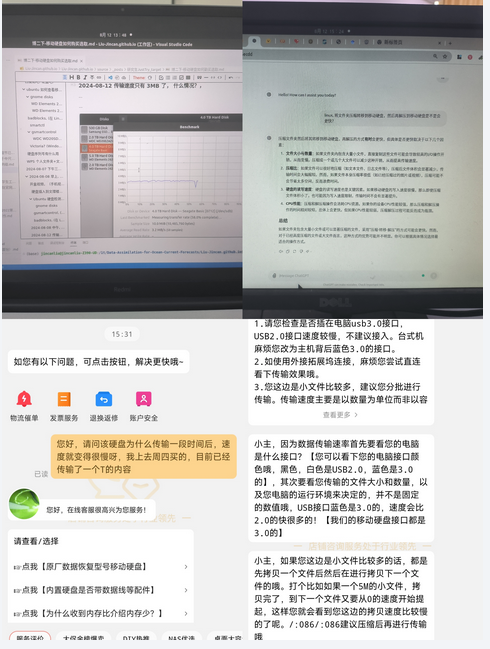
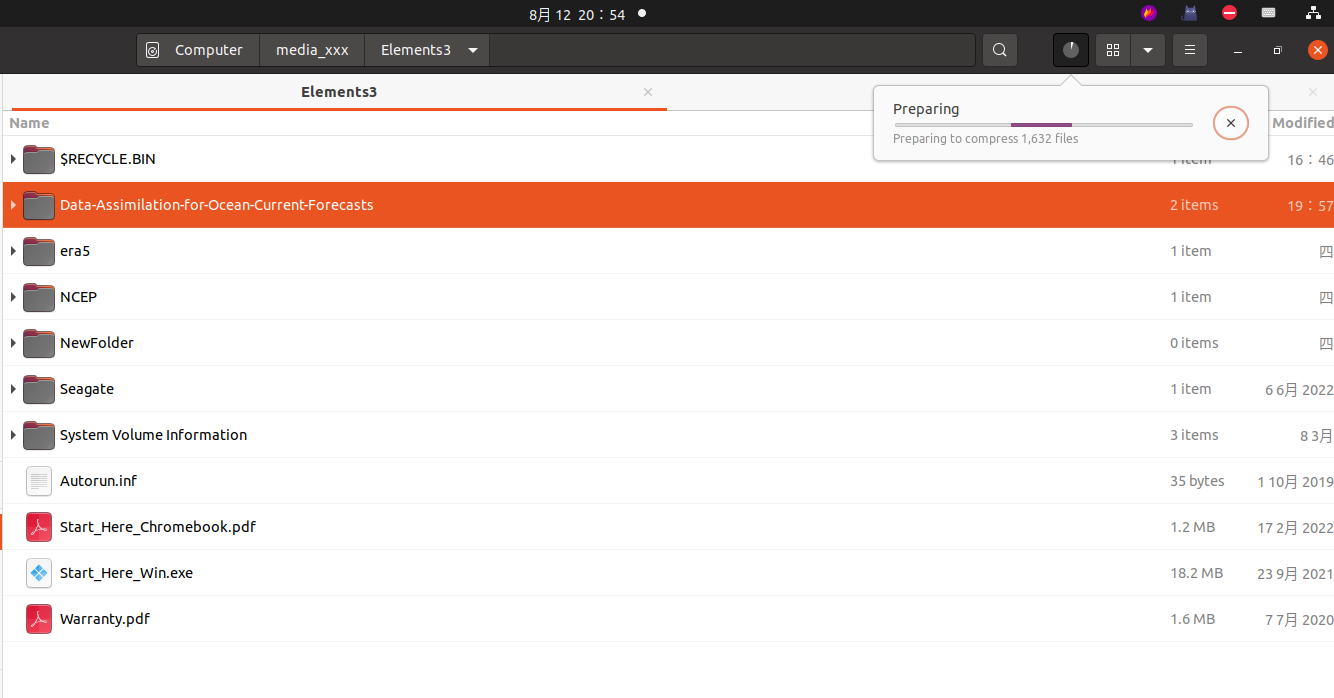
(重要) 2024-08-12 下午,尝试传输压缩大文件夹后的压缩包,如果还是很慢,需要问京东客服了,(传输单个大文件能达到 100MB +),
…
…
传输单个大文件能达到 100MB +,
…
…
(重要) 2024-08-12 晚上,所需存储的文件夹到底是否需要以压缩文件的形式存储到移动硬盘?,
…
…
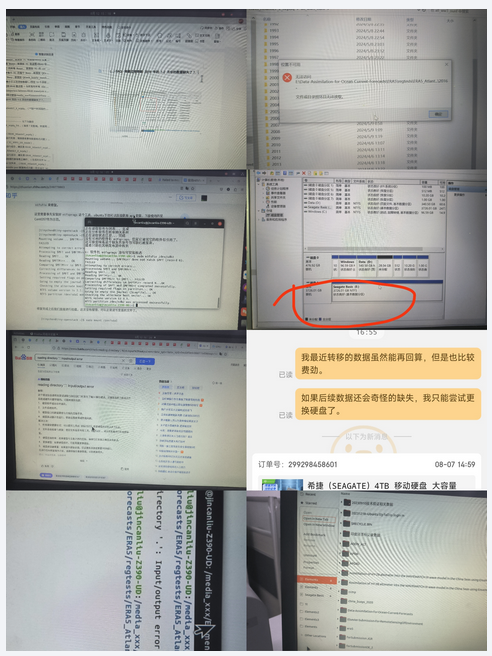
2024-08-12 下午,传输的文件丢失了,(猜测原因1:使用 ntfsfix 修复硬盘导致出现问题?),(猜测原因2:重启或拔出硬盘前,没有 umount),(猜测原因3:硬盘自身的问题),
…
…
…
…
(重要) 2024-08-12 晚上,mount Elements3 仍然很慢,而且VSC在该硬盘上进行简单操作都卡到爆炸+卡屏还会影响其他VSC的正常使用,再加上硬盘卡屏后强退会导致数据缺失,故放弃 Elements3 硬盘?,(暂不放弃改硬盘,后续该硬盘的大文件夹仅以压缩包的形式存储,在该硬盘构建新的数据存储的习惯,该习惯基于压缩包形式,利于数据的完整性以及机械硬盘传输的迅速,所需压缩包转移到/1t解压使用即可),
…
…
2024-08-12 将该硬盘存储进行压缩,转移到即将购买的 WD Elements 5T 硬盘中,
…
…
…
…
2024-08-14 日申请退款,(京东显示08-15前申请退货) ,
…
…
(重要) 2024-08-12 晚上,购买 WD Elements 5T 硬盘,959,(已申请退款),
…
…
(重要) 2024-**-* 最后撤回了退款,以压缩文件的方式进行大文件的存储还是可行的,
…
…
…
…